What it does

Features

The full list, each with what it is for.

Write the chat like a script

Write the chat like a script

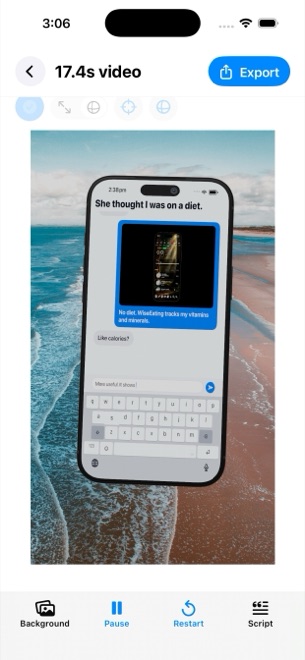
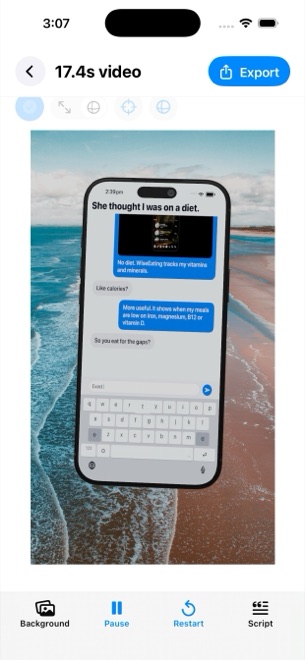
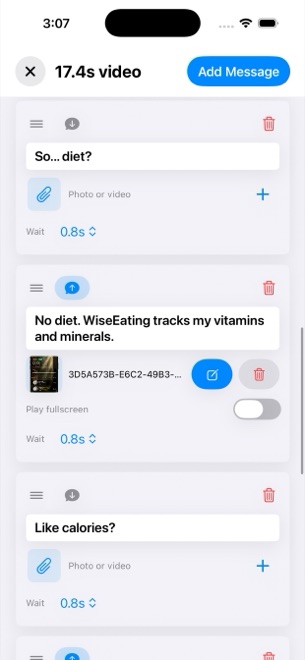
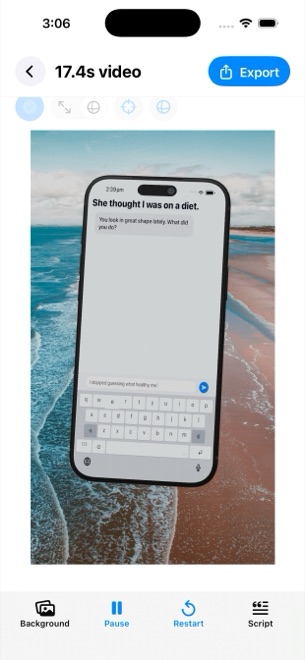
Messages from either side, each with its author, avatar and colour, a delay before it appears, a delivery state that moves from sent to received to viewed, and a room-entry line for when someone joins. Typing is simulated on a keyboard at a speed you set in letters per minute, with the text area in focus, so the viewer watches the message being written.

  • Sender and receiver, up to five contributors
  • Delays, delivery states, room entries
  • Keyboard typing at your speed
  • Four chat looks: classic blue, channel dark, purple, green
A phone that is actually 3D

A phone that is actually 3D

The conversation plays on a rendered iPhone you can move and rotate on the stage, in five finishes from cosmic orange to deep blue. Camera distance, field of view, pitch, yaw and roll are yours, and a message can carry a focus keyframe: zoom, zoom with blur or dim, spotlight, pulse, shake or bounce, on its own or across a group of messages. A flat mode drops the phone and keeps the chat.

  • One rendered iPhone, five finishes
  • Camera distance, angle and motion intensity
  • Seven focus animations per message
  • Flat overlay mode without the device
Media inside the conversation

Media inside the conversation

A message can carry a photo or a trimmed video with its own volume, and expand it fullscreen for as long as you say. The stage background is a colour, an image or a video; the phone screen can play real footage instead of the chat. Media changes fire at a second, after a message, or after the previous one ends.

  • Image and video attachments with trim and volume
  • Fullscreen expansion with a duration
  • Background image or video, phone-screen footage
  • Timed media changes, up to thirty per project
Hook, notification, call to action, music

Hook, notification, call to action, music

An opening hook overlay for the first seconds or the whole video, a push notification banner with title and subtitle, a call to action after a delay you choose, and a music track trimmed to fit. Message sounds from four tones or none. Text sizes for hook, messages and call to action are set separately, from 10 to 64 points.

  • Opening hook and call to action overlays
  • Push notification with title and subtitle
  • Music with trim and volume, four message tones
  • Independent text sizes
A voiceover that never leaves the device

A voiceover that never leaves the device

Maya1, an open voice model, runs inside the app: pick one of fifteen voices from podcast host to dark villain, or describe your own, and each message can speak with a start delay and a volume. The model weights download once from Hugging Face; the audio is generated on your device.

  • Fifteen voice presets, plus your own
  • Per-message delay and volume
  • Weights downloaded once, generation on the device
Export that is ready to post

Export that is ready to post

Every render is 1080 by 1920 at 30 frames per second, HEVC where the device supports it and H.264 otherwise, saved to Photos on iOS or to a file on Mac. No watermark, no export cap. The Mac app keeps a history of the videos rendered for each project.

  • 1080×1920, 30 fps, 9:16
  • HEVC or H.264 in MP4
  • No watermark
  • Render history on Mac