Glance Studio vs Crayo AI: no-watermark 3D chat videos and $4.99 Mac ownership vs monthly credit SaaS
Crayo AI is built for browser-based faceless shorts factories that want AI-written Reddit stories, split-screen stock gameplay and cloud text-to-speech under one monthly credit subscription ($19–$79/month). Glance Studio is a native Apple app for creators who write their own dialogue, stage up to 5 contributors on a 3D iPhone or flat canvas, run Maya1 English voiceover locally on-device, and export clean 1080×1920 MP4s with zero watermarks—free with ads on iOS or $4.99 once on Mac.
1. Chat staging, 3D camera motion and script authorship
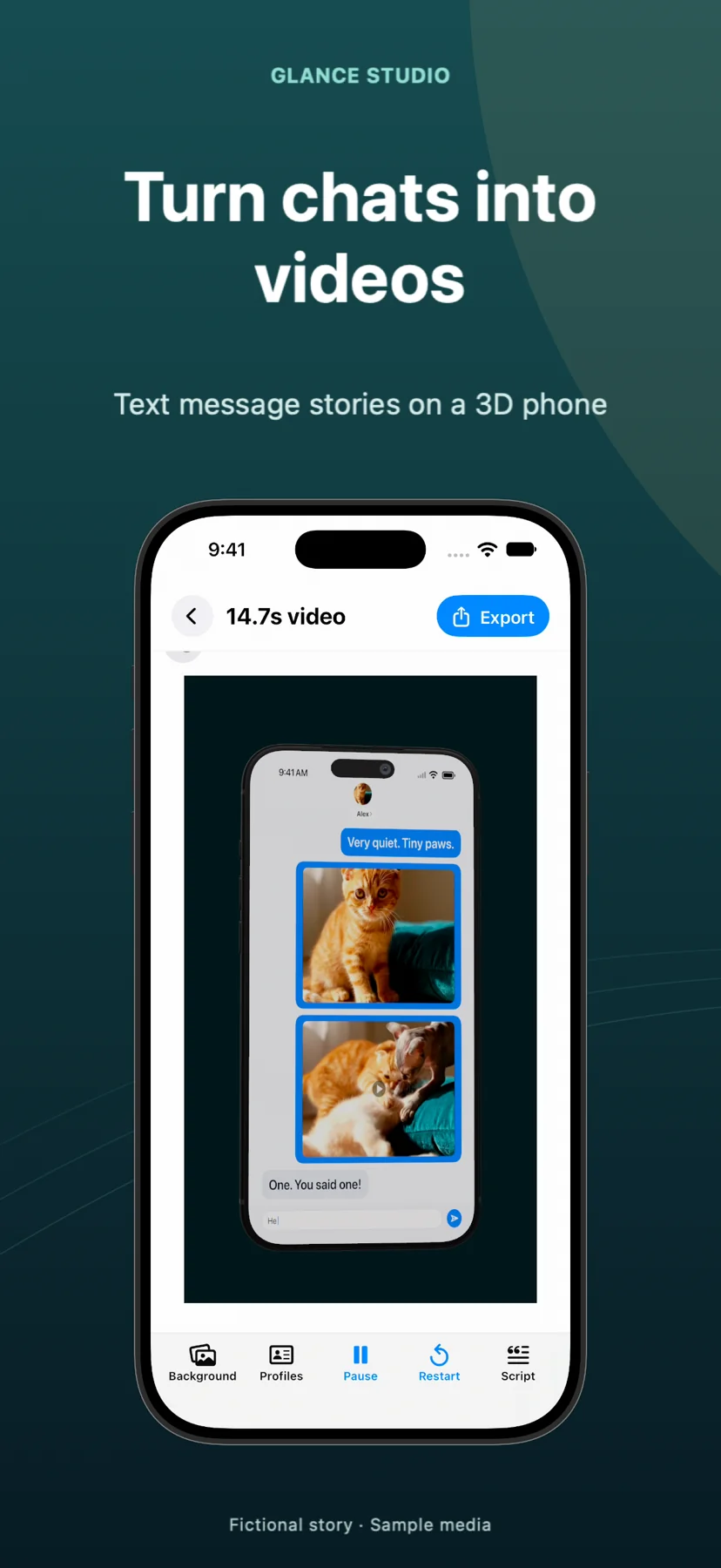
Crayo AI approaches fake-text videos as one template inside a broader cloud shorts generator: you prompt or paste a two-person script in a web browser, layer flat 2D bubbles over preselected stock parkour or gameplay clips, and render in the cloud. Glance Studio dedicates its entire single-screen editor to conversational choreography, letting you stage messages on a rendered 3D iPhone in five hardware finishes—complete with pitch, yaw, roll, field-of-view control and seven per-message focus animations—or switch to a flat chat overlay.
The authorship boundary is equally clear. Glance Studio does not auto-generate scripts with cloud LLMs or scrape social threads; you write up to 30 messages across up to 5 contributors, set simulated keyboard typing speeds in letters per minute, attach inline photos or trimmed videos that expand fullscreen, and trigger opening hooks, push notifications and calls to action.
| Capability | Glance Studio (iOS, iPadOS & Mac) | Crayo AI (Web SaaS) |
|---|---|---|
| 3D device stage & camera moves | Rendered 3D iPhone (5 finishes, pitch/yaw/roll + 7 focus moves) or Flat mode | Flat 2D chat bubble overlay only |
| Participants per conversation | Up to 5 contributors with custom names, avatars, colors & room-entry lines | Primarily 2-sender fake-text templates |
| Inline media inside bubbles | Photos & trimmed videos inside messages with timed fullscreen expansion (up to 30) | Static image inserts or background stock split-screen |
| Chat UI styling | 4 stylized, de-branded looks (classic blue, channel dark, purple, green) | Imitation messenger card templates |
| AI prompt scriptwriting & Reddit stories | Not included (manual script authoring) | Built-in AI prompt story, Reddit & split-screen generators |
| Project length cap | 30 messages & 30 media changes per project (join 2 exports for longer videos) | Bounded by monthly export/minute credit allowance |
2. Voiceover architecture, offline rendering and privacy
Every spoken line in a browser generator consumes cloud TTS characters or export minutes, meaning revisions, retakes and pacing tweaks eat into your monthly quota. Glance Studio embeds the open Maya1 voice model directly inside the app: after a one-time weight download from Hugging Face on compatible Apple hardware, you can generate English voiceovers across 15 presets (or describe a custom voice) with per-message delay and volume—entirely on your device.
Because rendering happens locally on iPhone, iPad (iOS/iPadOS 26+) or Mac, your unpublished scripts, product demo clips and rendered MP4s never upload to a third-party render farm. Note that Glance Studio has no cloud account and does not sync editable projects between iOS and Mac.
| Dimension | Glance Studio | Crayo AI |
|---|---|---|
| Voiceover engine | On-device Maya1 model (15 presets + custom prompt, English) | Cloud TTS voices metered by plan credits |
| Cost of re-exporting timing fixes | $0 and 0 credits (rewarded ad before iOS export; instant on Mac) | Deducts cloud generation/export credits per render |
| Internet requirement | Works offline after app install & optional Hugging Face Maya1 download (Mac) | Requires constant browser connection & cloud render queue |
| Account & sign-in | None required | Email / OAuth account & active billing tier required |
| Cross-device project sync | Local device storage only (no cloud sync between iPhone & Mac) | Cloud-hosted workspace accessible in browsers |
3. 12-month creator cost and watermark comparison
Web shorts platforms monetize through recurring monthly subscriptions where cancelling forfeits unused credits or drops you back to non-exportable/watermarked previews. Glance Studio separates platform funding cleanly: the iPhone and iPad app is $0 with every feature unlocked (supported by an AdMob ad on launch and a rewarded video before each export), while Glance Studio Desktop on the Mac App Store is a $4.99 one-time purchase with zero ads, zero in-app purchases and per-project render history.
In both Glance Studio editions, every export is a 1080×1920 vertical MP4 at 30 fps (HEVC or H.264) with no corner watermark and no monthly export cap.
| Factor | Glance Studio | Crayo AI |
|---|---|---|
| Entry price | $0 on iPhone/iPad (with ads) · $4.99 one-time on Mac (ad-free) | Paid subscriptions (~$19–$79/month depending on credit tier) |
| 12-month total cost | $0 (iOS) or $4.99 total (Mac) | ~$228 to $948+ per year |
| Watermark on free / entry tier | Never watermarked on iOS or Mac | Paid subscription required for clean exports |
| Best for automated faceless bulk channels | No — requires writing scripts & capping scenes at 30 messages | Yes — built for high-volume prompt-to-video templates |
| Best for 3D staged chats, UGC hooks & app demos | Yes — 3D iPhone camera choreography, inline video & $0–$4.99 cost | No — lacks 3D phone camera staging & inline fullscreen media |
Does the free iOS version of Glance Studio put a watermark on videos like web trials do?
No. Glance Studio never adds a watermark on iOS, iPadOS or Mac. On iPhone and iPad, exports are funded by an AdMob ad on app launch and a rewarded video before each export.
Can Glance Studio automatically write Reddit stories or scrape threads like Crayo AI?
No. You write every character line yourself in Glance Studio. It is an animation and 3D staging studio for original scripts, product demos and sketches, not an automated story scraper.
What if my chat story is longer than 30 messages?
Release builds cap a single Glance Studio project at 30 messages, 30 media changes and 5 contributors. For longer narratives, split the script into two projects, export both MP4s and join them in any video editor.
Does Glance Studio charge extra for its AI voiceover?
No. The Maya1 voice model weights download once from Hugging Face and run locally on compatible devices with zero per-character or monthly credit fees.