Glance Studio on iPhone & iPad (Free) vs Glance Studio Desktop for Mac ($4.99): every difference explained
Nothing in Glance Studio’s editor or export engine is feature-locked on either platform: both the iPhone/iPad app (App Store id6774151809, version 1.1.3) and Glance Studio Desktop for Mac (Mac App Store id6775389610, version 1.1.3) include the 3D iPhone stage, flat mode, 5 contributors, inline media, Maya1 local voiceover and watermark-free 1080×1920 30 fps exports. The difference comes down to funding (AdMob ads on iOS vs $4.99 one-time ad-free on Mac), file export destination, Mac render history and big-screen keyboard speed.
1. 100% editor & export parity across iPhone, iPad and Mac
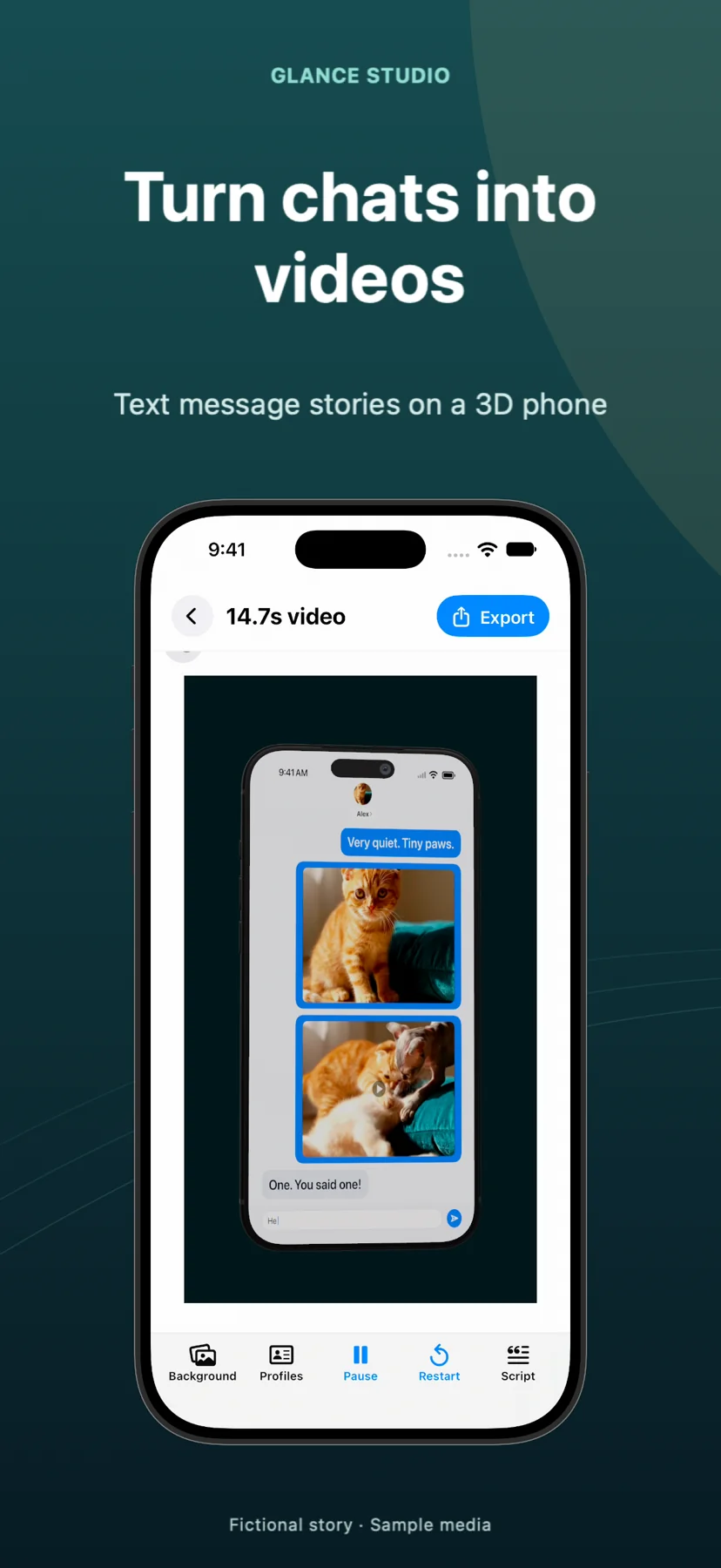
Many freemium creator apps cripple their mobile free tier—hiding 1080p export, 3D camera controls or voiceover behind a recurring Pro subscription. Glance Studio unlocks the exact same creative toolset on both listings: four stylized chat looks (classic blue, channel dark, purple, green), one current-generation 3D iPhone in five finishes, seven focus keyframes, flat mode, opening hooks, push notifications, calls to action, background music and local Maya1 English voiceover.
Both apps also share the exact same release-build project caps—30 messages, 30 media changes and 5 contributors per project—and output identical 1080×1920 vertical MP4 files at 30 fps in HEVC or H.264 with zero watermarks.
| Feature or limit | Glance Studio (iPhone & iPad) | Glance Studio Desktop (Mac) |
|---|---|---|
| App Store ID & version | id6774151809 · v1.1.3 (iOS/iPadOS 26+) | id6775389610 · v1.1.3 (macOS) |
| 3D iPhone stage (5 finishes) & Flat mode | Included in full | Included in full |
| Maya1 local English voiceover (15 presets + custom) | Included in full (Hugging Face download) | Included in full (Hugging Face download) |
| Project caps | 30 messages, 30 media changes, 5 contributors | 30 messages, 30 media changes, 5 contributors |
| Where exported MP4s save | Saves directly to the iOS Photos library | Exports to any Finder folder/file you choose |
| Per-project render history | Not included on iOS | Included — tracks videos rendered per project |
2. Ads, network requests and privacy differences
The iOS app pays for itself through Google AdMob: it displays a full-screen ad when the app opens and plays one rewarded video before each export, without asking for cross-app tracking permission. Glance Studio Desktop on Mac contains zero advertising SDKs, zero rewarded videos and zero in-app purchases—paid for upfront by its single $4.99 purchase through Apple.
Neither edition uses user accounts, cloud servers or cross-device sync. Projects created on an iPhone stay on that iPhone, and projects created on a Mac stay on that Mac; to move finished work between devices, export the MP4 and AirDrop or save the video file.
| Dimension | Glance Studio (iOS / iPadOS) | Glance Studio Desktop (Mac) |
|---|---|---|
| Purchase price | $0 Free | $4.99 USD one-time purchase |
| Ads & rewarded videos | Ad on app open + rewarded video before each export (AdMob) | None — 100% ad-free |
| Subscriptions or in-app purchases | None | None |
| Network activity | AdMob ad serving + optional 1× Maya1 download | Optional 1× Maya1 download only (zero ad requests) |
| iCloud / cross-device project sync | None (local device storage only) | None (local Mac storage only) |
3. Which edition should you install (or use together)?
If you write short scripts on the couch, film background clips on your iPhone camera and upload straight from Photos into TikTok or Instagram Reels, the free iOS or iPadOS app handles the entire loop for $0. If you batch-produce UGC ad hooks, write 30-message scripts faster on a hardware keyboard, want instant ad-free re-exports while tweaking 3D camera angles, or cut finished MP4s inside Final Cut Pro or Wonek Video Studio, the $4.99 Mac app pays for itself on your very first afternoon.
Because the iOS app is free, many Mac buyers keep both installed—drafting spontaneous ideas on iPhone and producing client batches on Mac.
| Workflow priority | Best edition | Why |
|---|---|---|
| Zero upfront spend & mobile-first posting from Photos | iPhone / iPad ($0) | Full editor + clean 1080×1920 export straight to Camera Roll |
| Rapid multi-version hook testing with zero ad waits | Mac Desktop ($4.99) | Instant ad-free exports + built-in render history per project |
| Organizing client renders into structured Finder folders | Mac Desktop ($4.99) | System file picker writes directly to project/client directories |
Does buying Glance Studio Desktop on Mac remove ads on the iPhone app (or vice versa)?
No. They are separate App Store (`id6774151809`) and Mac App Store (`id6775389610`) listings: iOS is always free with ads, and Mac is a standalone $4.99 ad-free app.
Can I start editing a script on my iPhone and finish editing it on my Mac?
No. Glance Studio has no cloud account or device sync; editable projects stay on the device where they were made.
Does the iOS AdMob SDK ask permission to track me across other apps?
No. As documented in the privacy policy, the iOS app serves ads via Google AdMob without asking for cross-app tracking permission, and the Mac app contains no ad SDK at all.
Is there any difference in video quality between iOS and Mac exports?
None. Both render 1080×1920 at 30 fps in HEVC (where supported) or H.264 MP4 with no watermark.