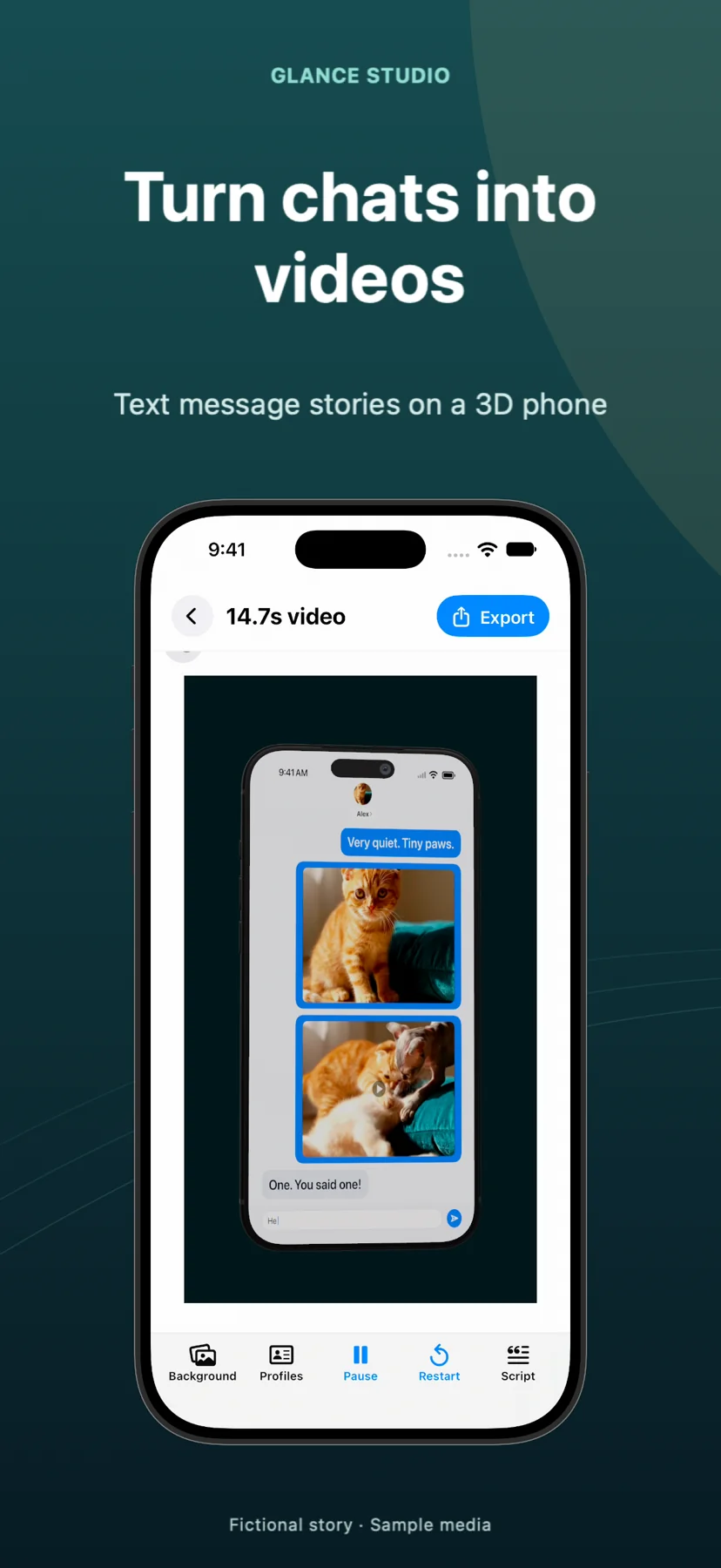
3D phone chat videos vs flat 2D chat stories: depth, readability & retention compared
Neither 3D phone staging nor flat 2D chat automatically guarantees higher engagement—each solves a distinct visual problem. A rendered 3D iPhone stage stops fast scrollers with hardware depth, lighting and deliberate camera zoom on a decisive reply, making it ideal for product demos, UGC hooks and short suspense reveals; flat 2D mode removes device bezels to maximize font legibility for dense comedy dialogue and gameplay backgrounds. Glance Studio includes both in a single toggle.
1. Visual hierarchy & first-second scroll stopping vs maximum text size
In vertical feeds saturated with flat split-screen fake texts, a rendered 3D iPhone in one of five metallic finishes establishes an immediate physical scene—signaling craftsmanship in the first half-second of an Instagram Reel or paid app promo. Using Glance Studio’s pitch, yaw, roll and field-of-view sliders, you can start slightly angled and fire one of seven focus animations (zoom, zoom with blur or dim, spotlight, pulse, shake, bounce) right as the twist arrives.
Perspective comes with a trade-off, however: steep 3D tilt shrinks effective character height on small screens. When your script relies on rapid-fire wordplay, five-person banter or multi-sentence explanations, toggling Glance Studio to Flat mode drops the 3D chassis and gives your 10–64 pt typography the entire safe central area.
| Visual factor | 3D iPhone Stage | Flat 2D Chat Mode |
|---|---|---|
| Scroll-stopping visual novelty | High — hardware materials, lighting & dimensional depth | Familiar — relies on opening hook text & background clip |
| Small-screen text legibility | Best with restrained angles & concise 1-to-2 line bubbles | Maximum — zero perspective foreshortening or device bezels |
| Camera focus keyframes | Full 3D impact (zoom, blur, dim, spotlight, pulse, shake, bounce) | Clean 2D emphasis without 3D perspective distortion |
| Hardware finishes available | 5 current-gen iPhone finishes (cosmic orange to deep blue) | Device hidden; pure chat bubbles over stage backdrop |
| TikTok / Reels UI safe-zone planning | Device frame naturally centers bubbles away from outer edges | Adjust message point size (10–64 pt) to clear right/bottom UI icons |
2. Matching stage mode to background video and inline media
Background choice interacts strongly with stage mode. Behind a 3D iPhone, calm studio gradients, subtle abstract loops or desk textures give the device room to breathe without competing motion. Behind a Flat chat, calm gameplay or atmospheric b-roll fills the 1080×1920 frame directly underneath the stylized bubbles.
Both modes in Glance Studio support inline photo and trimmed-video attachments that expand fullscreen for a specified duration—and in 3D mode, you can even set the phone screen itself to play real product footage instead of the chat.
| Content type | Recommended stage | Why it works better |
|---|---|---|
| Mobile app or SaaS feature demo | 3D iPhone Stage | Frames the chat + fullscreen screen recording as a cohesive product spot |
| 8-message horror twist with photo clue | 3D iPhone Stage (subtle angle) | Slow zoom/spotlight on the final contradiction amplifies tension |
| Fast comedic banter or 5-person group chat | Flat 2D Mode | Keeps speaker names, avatars & punchlines large and effortless to read |
| Texting story over calm gameplay footage | Flat 2D Mode (high-contrast look) | Avoids putting a phone bezel in front of detailed background motion |
3. Testing both modes from the same saved script
With most tools, switching between a 2D texting generator and a 3D mockup app means rebuilding your entire project twice. Because Glance Studio treats stage mode as a non-destructive setting on your saved local project, you can write your script once, export a 3D version and a Flat version at 1080×1920 30 fps, and inspect both on your phone—or compare them in Glance Studio Desktop’s per-project render history on Mac.
Remember that both modes export a standard opaque MP4 (not a transparent alpha layer), so choose your final background inside Glance before rendering.
| Check | 3D Stage fix if unreadable | Flat Mode fix if unreadable |
|---|---|---|
| Longest reply feels cramped | Reduce yaw/pitch tilt, bring camera closer or split into 2 messages | Increase message font size (up to 64 pt) or split message |
| Background washes out bubbles | Switch among the 4 chat looks (e.g., channel dark) or dim backdrop | Switch chat look or replace bright background clip |
| Final line cuts off too early | Extend post-message hold / CTA delay before exporting | Extend final delay & verify in Photos/Finder player |
Can I switch an existing Glance Studio project from 3D phone to Flat mode without retyping?
Yes. Flat mode is a direct stage toggle inside the same project—your messages, contributors, delays, media attachments and Maya1 voiceovers stay intact.
Does 3D mode render iPads, Android phones or laptops?
No. Version 1.1.3 renders one current-generation iPhone model in five finishes alongside the device-free Flat mode.
Can I apply camera focus moves to just one dramatic message instead of every bubble?
Yes. Focus keyframes (zoom, blur, dim, spotlight, pulse, shake, bounce) attach per message or across a chosen group of messages so the camera stays calm while viewers read ordinary lines.
Does Flat mode export a transparent PNG/MOV cutout?
No. Both 3D and Flat modes export a 1080×1920 30 fps MP4 over the solid color, image or video background you select on the stage.