Glance Studio vs TextingStory: 3D iPhone stage, 5 contributors & local Maya1 voiceover compared
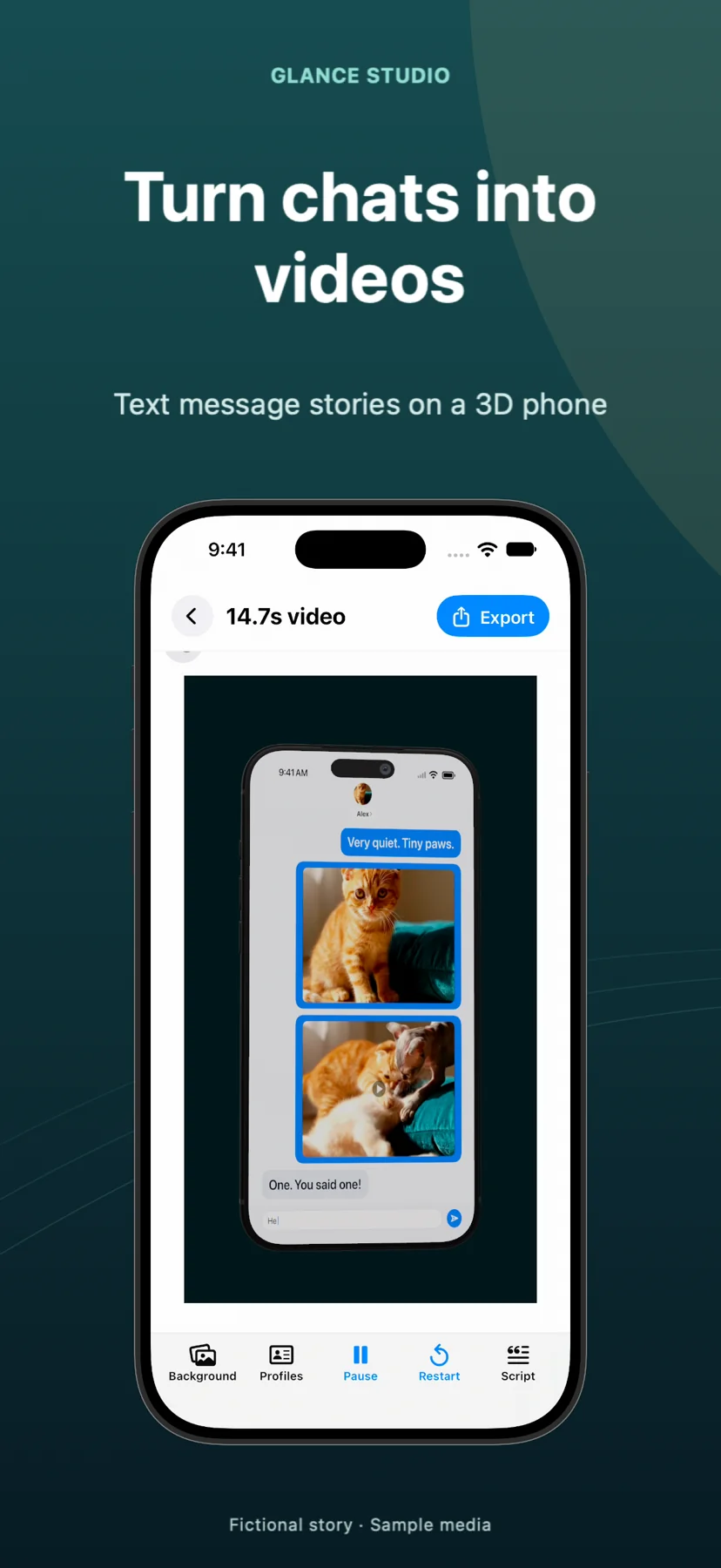
TextingStory pioneered quick two-person flat typing videos on mobile and supports sharing editable story files where cross-user handoff matters. Glance Studio expands the format for modern TikTok, Reels, Shorts and Mac creators—adding a rendered 3D iPhone stage (plus flat mode), up to 5 contributors per group chat, inline fullscreen video attachments, hooks and push notifications, on-device Maya1 English voiceover and watermark-free 1080×1920 exports.
1. 3D iPhone camera staging & 5-person group chats vs classic 2D two-way typing
TextingStory’s signature workflow lets you alternate fast between two character tabs on a flat 2D chat canvas to record a clean typing sequence. Glance Studio includes a flat overlay mode when you want full-bleed text, too, but adds a full 3D rendered iPhone stage in five hardware finishes where you control camera distance, field of view, pitch, yaw and roll—plus seven message-linked focus animations (zoom, blur, dim, spotlight, pulse, shake and bounce).
Where two-character apps limit plotlines to 1-on-1 dialogues, Glance Studio supports up to 5 contributors per project with individual avatars, bubble colors and room-entry lines ("Alex joined"), unlocking workplace skits, family group chats and multi-suspect mystery threads.
| Capability | Glance Studio | TextingStory |
|---|---|---|
| Visual presentation | 3D rendered iPhone (5 finishes + camera motion) OR Flat chat mode | Flat 2D chat screen |
| Max characters per chat | Up to 5 contributors + room-entry lines | Designed around 2-character exchanges |
| Per-message camera focus | 7 focus keyframes (zoom, blur, dim, spotlight, pulse, shake, bounce) | Standard 2D vertical scroll |
| Media inside messages | Photos & trimmed videos with volume + timed fullscreen expansion | Media messages supported (check current platform build/packs) |
| Social conversion overlays | Opening hook, push notification banner & delayed CTA overlay | Focused on core chat window |
| Editable story file sharing | Local device storage only (export MP4 to share) | Documented story-file sharing workflow |
2. Built-in local voiceover, background video and desktop Mac editing
Modern short-form feeds pair chat bubbles with atmospheric video backdrops, sound design and spoken dialogue. Glance Studio lets you drop a custom photo or video behind the 3D phone (or flat chat), trim a music track, pick from four message tones, and generate spoken English lines directly inside the app using the local Maya1 model (15 preset voices plus custom voice descriptions downloaded once from Hugging Face).
For creators who prefer typing scripts on a physical keyboard, Glance Studio Desktop runs natively on macOS with file-folder export and per-project render history alongside the iPhone and iPad app.
| Workflow factor | Glance Studio | TextingStory |
|---|---|---|
| Built-in AI voiceover | On-device Maya1 English model (15 presets + custom, 0 cloud fees) | Not an on-device neural voice studio (check current add-ons) |
| Stage background media | Solid color, custom image or custom video backdrop + 30 media changes | Primed for clean chat background |
| Native Mac desktop app | Yes — Glance Studio Desktop on Mac App Store ($4.99 one-time) | Primarily mobile-focused |
| iOS minimum requirement | iOS 26 / iPadOS 26 or later | Check App Store listing for older iOS compatibility |
3. Watermarks, pricing structure and project boundaries
Before committing a series to any mobile texting app, export a test video and check the corners of the saved MP4. Glance Studio never adds a watermark on iOS or Mac: the iPhone/iPad app is free with AdMob (an ad on opening and a rewarded video before each export) with every feature unlocked, while the Mac app is a $4.99 one-time purchase with zero ads or in-app purchases.
Be aware of Glance Studio’s hard per-project limits: 30 messages, 30 media changes and 5 contributors. If you want to test on an older iPhone running pre-iOS 26 or exchange editable project files with a co-writer, evaluate TextingStory’s current store terms alongside Glance.
| Criteria | Glance Studio | TextingStory |
|---|---|---|
| Watermark on free iOS export | No watermark (supported by AdMob rewarded video before export) | Check current free-tier watermark & IAP/subscription unlock rules |
| Mac purchase option | $4.99 one-time purchase, no ads, no subscriptions | N/A as dedicated native $4.99 Mac 3D studio |
| Export specification | 1080×1920, 30 fps, HEVC or H.264 MP4, unlimited export count | MP4 video export (verify resolution/tier in store) |
| Per-project message cap | 30 messages & 30 media changes per project | Varies by device performance / current app build |
Can Glance Studio create classic flat 2D chat videos like TextingStory?
Yes. Toggle Flat mode in Glance Studio to hide the 3D iPhone and keep the animated chat bubbles, typing simulation and media directly over your chosen background.
Why does Glance Studio cap projects at 30 messages?
Release builds cap each project at 30 messages, 30 media changes and 5 contributors to keep real-time 3D rendering and local exports responsive. Longer stories are exported as two scenes and joined in a video editor.
Does Glance Studio let two people co-edit the same project file?
No. Projects are saved locally on your device with no account or project-file sync. If sharing editable story files is essential, check TextingStory’s documented file-sharing options.
Are any chat looks or 3D finishes locked behind in-app purchases in Glance Studio?
No. All four chat looks, all five 3D iPhone finishes, all seven focus animations and Maya1 voiceover are included free on iOS (with ads) and in the $4.99 Mac app.