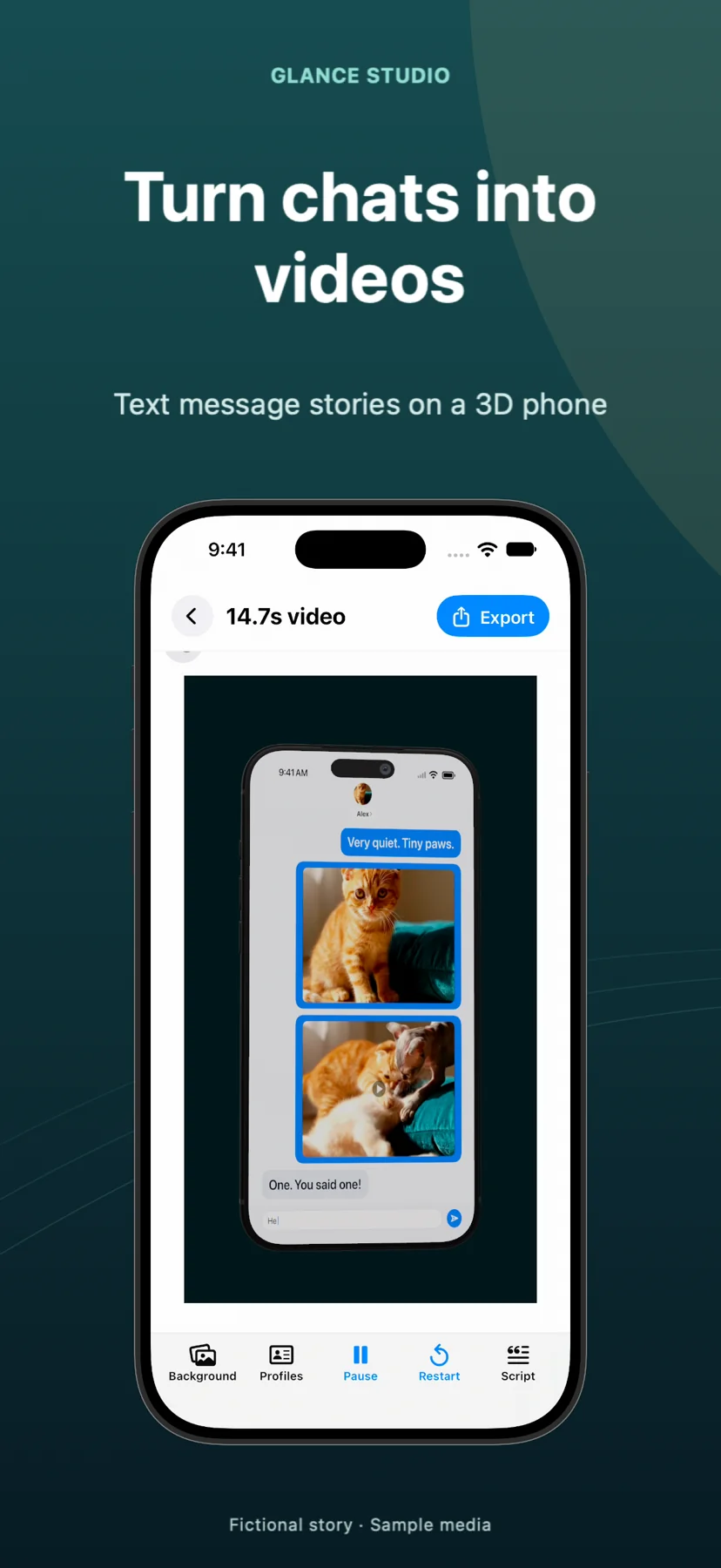
Glance Studio vs Prankshit & fake-chat screenshot apps: animated 1080×1920 3D video vs static prank mocks
Websites like Prankshit and mobile "fake chat prank" apps are built to generate static screenshots or cloned social-media UI mocks that imitate real messengers. Glance Studio is built for video storytellers and marketers—not pranks: it animates up to 5 characters typing bubble by bubble on a 3D iPhone or flat stage using four stylized, de-branded chat looks, complete with inline video, local Maya1 voiceover and watermark-free 1080×1920 30 fps MP4 export.
1. Motion video storytelling vs static prank screenshots
Static fake-chat generators output a single PNG or JPEG—forcing TikTok, Reels and Shorts creators to pan slowly over a tall screenshot or stitch dozens of cropped images together in a timeline editor while viewers lose track of which line came next. Glance Studio renders native 30 fps motion video from start to finish: viewers watch the simulated keyboard type at your chosen letters-per-minute speed, see delivery states advance from sent to received to viewed, and watch media attachments expand fullscreen on cue.
Adding a rendered 3D iPhone stage (with five device finishes and seven message-triggered focus animations like spotlight, shake or zoom with blur) turns a flat exchange into cinema-ready vertical video without touching external motion software.
| Capability | Glance Studio | Prankshit / Fake-chat prank generators |
|---|---|---|
| Primary output | 1080×1920 30 fps vertical MP4 video (HEVC or H.264) | Static PNG/JPEG screenshots or basic screen-capture mocks |
| Typing & delivery animation | Live keyboard typing simulation + sent/received/viewed states | Static timestamped bubbles |
| 3D device & camera motion | 3D iPhone stage (5 finishes, full camera angles, 7 focus moves) + Flat mode | None (flat 2D browser DOM capture) |
| Audio & narration | 4 message tones, trimmed music & local Maya1 English voiceover | Silent static image |
| Inline video attachments | Trimmed video inside messages with audio & fullscreen expansion | Static image thumbnails only |
2. De-branded commercial safety vs trademarked UI clones
Prank generators intentionally replicate trademarked headers, icons and status bars from WhatsApp, Instagram, iMessage or Snapchat—an approach that routinely triggers ad rejections, brand-safety flags and platform takedowns when used in commercial posts or monetized channels. Glance Studio takes the opposite stance: its four chat looks (classic blue, channel dark, purple, green) read immediately as familiar messaging interfaces without copying third-party trademarks.
Glance Studio’s terms also draw a bright ethical line: the app is strictly for staged, dramatized fiction, comedy, education and transparent product demos—never for fabricating real-person screenshots, misleading endorsements or deceptive pranks.
| Compliance area | Glance Studio | Prankshit / Cloned prank apps |
|---|---|---|
| Interface branding | 4 stylized, unbranded chat layouts (unaffiliated with real messengers) | Direct imitations of trademarked social/messaging apps |
| Suitability for paid UGC & app ads | Designed for transparent dramatized hooks & feature demos | High risk of ad-network rejection for UI impersonation |
| Watermark / branding clutter | Clean 1080×1920 frame with zero watermarks | Often stamps site URLs or watermarks unless paid |
| Intended use policy | Fictional stories & clearly staged demos only | Marketed around pranking or faking screenshots |
3. Privacy, native stability and pricing
Free prank apps and ad-heavy web generators often riddle the editing screen with pop-up banners or require uploading personal avatars onto unknown web servers. Glance Studio runs natively on iPhone and iPad (free, with one AdMob open ad and one rewarded video per export, without cross-app tracking prompts) and on Mac ($4.99 one-time purchase with zero ads or network SDKs).
All character avatars, photos, background clips and scripts stay locally on your Apple device.
| Attribute | Glance Studio | Prankshit / Mobile prank apps |
|---|---|---|
| Cost | $0 on iOS (with ads) · $4.99 one-time on Mac (no ads) | Ad-heavy web pages or weekly/monthly mobile IAP traps |
| Contributors per thread | Up to 5 contributors + room-entry lines | Usually 2 participants |
| Project limits | 30 messages & 30 media changes per project | Single screen height or browser canvas limit |
| Offline native editing | Yes on iOS 26+, iPadOS 26+ & macOS | Web generators require active browser session |
Can Glance Studio clone an exact WhatsApp or Instagram DM header?
No. Glance Studio intentionally provides four stylized, de-branded chat looks (classic blue, channel dark, purple and green) and is not affiliated with Apple, Meta, Discord, Rakuten or any messenger.
Can I export a still frame if I also need a cover thumbnail?
Glance Studio exports a clean 1080×1920 30 fps MP4, from which you can pick any crisp frame as your Reel, TikTok or Shorts cover without watermarks.
Is Glance Studio meant for pranking friends with fake screenshots?
No. Glance Studio’s terms forbid presenting staged chats as real exchanges or using them for deception; it is built for creative storytelling, sketches and transparent product demos.
Does Glance Studio access my real Contacts or Messages app?
Never. Glance Studio only asks for Photos access on iOS (or Finder file selection on Mac) when you choose media attachments and save exported videos.