Glance Studio vs aicut.pro: native Apple chat-video studio vs browser AI shorts generator
aicut.pro is a browser-based faceless video generator designed to crank out automated fake-text shorts, split-screen clips and AI-narrated posts on a monthly credit plan. Glance Studio is a native iPhone, iPad and Mac studio for creators who want tactile control over every bubble’s delay, keyboard typing speed, 3D iPhone camera angle and inline fullscreen media—with zero watermarks and no recurring subscription.
1. Tactile script timing vs form-based browser generation
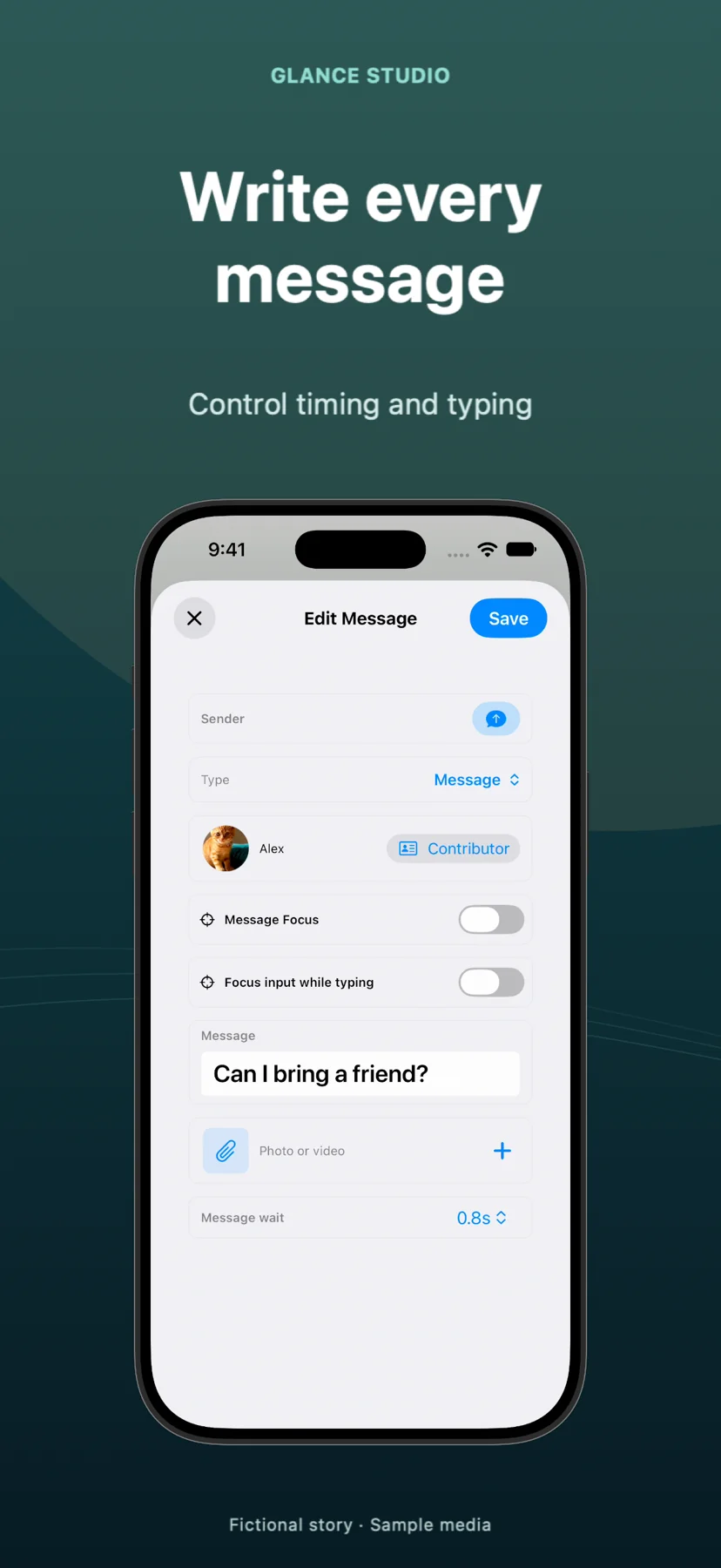
In browser generators like aicut.pro, editing a chat story usually means filling out sender/receiver text rows, picking a background loop from a stock picker, and waiting for a server preview to see whether a joke landed too fast. Glance Studio puts the live 3D or flat stage on the top half of your native Apple screen and the script inspector directly underneath, so adjusting a single message’s delay, delivery state (sent, received, viewed) or typing speed in letters per minute previews immediately.
Glance Studio also expands storytelling beyond back-and-forth text: any message can carry a photo or trimmed video with independent audio volume and expand fullscreen for a set number of seconds before returning to the chat—ideal for visual reveals, receipts or app feature demos.
| Editor capability | Glance Studio | aicut.pro |
|---|---|---|
| Interface & preview loop | Native iOS/iPadOS/macOS split view with real-time local stage preview | Web form editor + cloud render preview |
| Typing & delivery simulation | Adjustable letters-per-minute keyboard typing + sent/received/viewed states | Automated bubble pop-in synced to TTS audio |
| 3D hardware framing | Rendered 3D iPhone in 5 finishes + 7 per-message camera focus moves | 2D flat message bubbles over vertical background |
| Fullscreen media reveals | Attach photos/trimmed videos to bubbles & expand fullscreen on cue | Limited to static image bubbles or background video |
| Max project scope | 30 messages, 30 media changes, 5 contributors per project | Limited by plan credits and template duration |
2. Rendering reliability, file ownership and Mac workflow
Cloud shorts websites queue renders on shared servers and store finished MP4s in web dashboards where free tiers add watermarks or throttle resolution. Glance Studio renders locally on Apple silicon and iPhone hardware at 1080×1920 and 30 fps in HEVC (or H.264 where needed), saving directly to Photos on iOS or to any Finder folder on Mac.
For desktop editors who iterate on hooks and pacing, Glance Studio Desktop ($4.99 one-time on the Mac App Store) keeps a built-in render history for each project so you can compare earlier cuts side by side without paying extra export credits.
| Workflow aspect | Glance Studio | aicut.pro |
|---|---|---|
| Supported platforms | iPhone, iPad (iOS 26+) & Mac (macOS) | Web browser (desktop & mobile) |
| Export spec | 1080×1920, 30 fps, 9:16 MP4 (HEVC or H.264) | Vertical MP4 via cloud download |
| Watermark policy | Zero watermark on both free iOS and $4.99 Mac apps | Paid plan required to remove watermark |
| Version / render history | Per-project render history included on Mac | Cloud dashboard history tied to active account |
| Data & media privacy | 100% local project files; no account or server uploads | Scripts & uploaded backgrounds processed on remote servers |
3. Cost math for occasional vs daily short-form creators
If you run an automated content farm that needs cloud-scheduled posting and AI-generated scripts across multiple formats, aicut.pro’s monthly subscription bundles those cloud APIs together. If you write original comedy sketches, horror threads, educational dialogues or UGC product ads, paying $19–$49 every month just to animate chat bubbles quickly outstrips the value of the template.
With Glance Studio, testing a new TikTok, Reels or Shorts series costs $0 on iPhone or iPad (watching one rewarded video per export) or $4.99 once forever on Mac, including local Maya1 English voiceover.
| Creator requirement | Better fit | Reason |
|---|---|---|
| Zero-subscription budget with clean 1080p exports | Glance Studio | $0 iOS (ad-supported) or $4.99 one-time Mac purchase, no watermark |
| Automated prompt-to-shorts scheduling from a PC browser | aicut.pro | Runs in any browser with cloud script & stock automation |
| Group chats (3–5 characters) with room-entry lines | Glance Studio | Supports up to 5 named contributors with distinct colors & avatars |
| Unlimited voiceover retakes without burning TTS credits | Glance Studio | Maya1 runs locally on-device once weights are downloaded |
Does Glance Studio auto-publish to TikTok, Reels or YouTube Shorts like some web suites?
No. Glance Studio exports a clean 1080×1920 MP4 to Photos (iOS) or Finder (Mac) so you can inspect the file and upload it directly in TikTok, Instagram or YouTube.
Are any editor features locked behind a paywall on the free iOS app?
No. Every feature—3D iPhone stage, flat mode, 5 contributors, inline media, hooks, notifications and Maya1 voiceover—is unlocked on iOS. The only difference between iOS and Mac is AdMob ads vs a $4.99 one-time purchase.
Can I sync my Glance Studio project from my iPhone to my Mac?
No. Glance Studio has no user account or cloud sync; projects remain on the device where you build them, and you transfer the exported MP4 video when needed.
What chat styles come built into Glance Studio?
Four stylized, de-branded layouts: classic blue, channel dark, purple and green, plus customizable text sizes from 10 to 64 points.