Glance Studio vs InVideo AI for chat shorts: local $0–$4.99 3D staging vs cloud stock subscriptions
InVideo AI excels when you want a text prompt turned into a voice-narrated stock-footage documentary or listicle short using licensed cloud libraries (~$28–$60+/month for watermark-free exports). When you want a scripted text-message story or product demo staged on a 3D iPhone with typing rhythm, inline media and zero watermarks, Glance Studio delivers native 1080×1920 exports for $0 on iOS or $4.99 once on Mac.
1. Stock-footage narration prompts vs scripted chat choreography
InVideo AI is architected around prompt-to-b-roll assembly: type a topic, and its cloud engine writes a monologue, picks iStock/Storyblocks clips, adds subtitles and synthesizes narration. Ask a stock-footage engine to stage a five-person group chat with simulated keyboard typing, sent/received/viewed ticks and a photo clue expanding fullscreen on message #9, however, and you hit the limits of generic b-roll assembly.
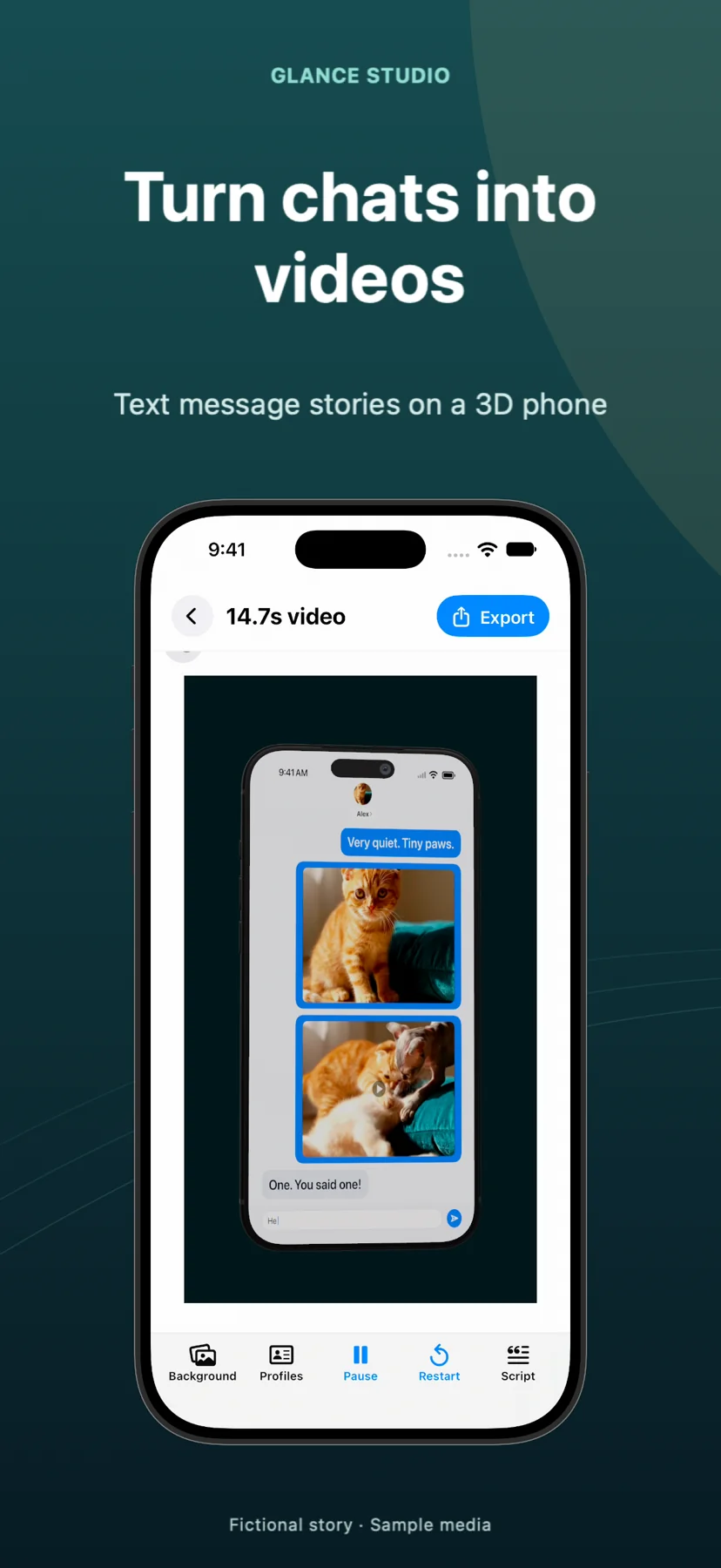
Glance Studio builds specifically for conversational video: you author each character’s line, control pre-message delays and typing speed, frame the exchange on a 3D iPhone in five finishes (or flat mode), and trigger opening hooks, push notifications and CTAs.
| Capability | Glance Studio | InVideo AI |
|---|---|---|
| Best video style | 2–5 person chat stories, UGC hooks & chat-driven product demos | Prompt-generated stock-footage explainers, faceless essays & ads |
| 3D iPhone stage & camera focus | Yes (5 finishes, pitch/yaw/roll + 7 focus animations) | No dedicated 3D phone chat-thread engine |
| Bubble-by-bubble typing & scroll | Native simulated keyboard typing & delivery ticks | Not a dedicated messenger simulator |
| Stock footage library | Bring your own licensed photos/videos | Millions of cloud stock clips (tier-dependent iStock access) |
| Horizontal 16:9 long-form video | No (vertical 1080×1920, up to 30 messages per project) | Yes (supports horizontal YouTube & vertical Shorts) |
2. Watermark rules on free tiers and local Maya1 voiceover
One of the sharpest differences for new creators is what happens when you export for $0. Free InVideo AI exports include visible InVideo branding and watermarks until you upgrade to a monthly paid plan, and generative minutes/iStock credits are metered each billing cycle. Glance Studio on iPhone and iPad exports clean, unwatermarked 1080×1920 30 fps MP4s for $0—funded instead by an AdMob opening ad and one rewarded video before each export.
On Mac, Glance Studio Desktop removes ads entirely for a $4.99 one-time purchase, while its on-device Maya1 English voice model generates 15 voice presets (plus custom voice descriptions) without counting AI minutes.
| Policy / architecture | Glance Studio | InVideo AI |
|---|---|---|
| Free-tier export watermark | None — 100% clean 1080×1920 video on iOS | Watermarked & branded on Free tier |
| Voiceover generation limits | Unlimited local renders via on-device Maya1 (English) | Metered by monthly AI generation minutes / voice tier |
| Where scripts & media render | Locally on your iPhone, iPad or Mac | Uploaded and rendered in InVideo’s cloud |
| Account requirement | No account or email sign-up | Mandatory account & workspace login |
3. Annual budget comparison and hybrid workflows
Paid InVideo AI plans start around $28–$35/month ($336+/year) and scale higher for generative credits. If you need licensed stock b-roll across dozens of faceless explainer videos, that library access justifies the subscription; if your channel or ad account focuses on conversational stories and app demos, Glance Studio saves hundreds of dollars per year.
Remember Glance Studio’s honest scope: you supply your own script and background clips, Maya1 voiceover is English-only, and single projects cap at 30 messages, 30 media changes and 5 contributors.
| Scenario | Recommended choice | Annual software cost |
|---|---|---|
| 3D/flat chat stories, skits & app demos on Apple devices | Glance Studio | $0 (iOS w/ ads) or $4.99 once (Mac) |
| Prompt-to-video horizontal explainers using iStock footage | InVideo AI | ~$336–$720+/year |
| Testing 20 ad hooks without burning cloud export credits | Glance Studio Desktop (Mac) | $4.99 total (with local render history) |
Does Glance Studio include a built-in stock video library like InVideo?
No. Glance Studio uses the photos, videos and music you pick from your own Photos library (iOS) or Finder folders (Mac), giving you full control over rights without stock-credit tiers.
Is there any Glance Studio branding added to the end of free iOS exports?
No. There is no corner watermark and no forced outro bumper on either the free iOS app or the $4.99 Mac app.
Can Glance Studio write my script from a one-sentence prompt?
No. You write the conversation yourself so each character’s voice, pause and twist lands deliberately.
What codec does Glance Studio use for 1080×1920 exports?
It exports 1080×1920 MP4 at 30 fps in HEVC where supported by the device, and H.264 otherwise.