Glance Studio vs Adobe After Effects chat bubbles: 5-minute 3D iPhone export vs expression rigging
Adobe After Effects is the industry standard when a broadcast spot or bespoke brand film needs custom vector shapes, 60 fps ProRes 4444 alpha channels or arbitrary 3D CAD models. For vertical 9:16 social feeds, UGC ads and short-form storytelling, however, Glance Studio delivers a rendered 3D iPhone stage, automatic bubble layout, keyboard typing, fullscreen media reveals and local voiceover in minutes—for $0 on iOS or $4.99 once on Mac instead of $22.99+/month.
1. Production time: scripted domain tool vs `sourceRectAtTime()` rigging
Motion designers know the hidden tax of chat animations in After Effects: dynamic bubble resizing requires `sourceRectAtTime()` expressions, multi-line wrapping breaks anchor points, cumulative upward scroll needs parented null math, and adding a 3D iPhone requires Element 3D, Cinema 4D Lite or pre-rendered passes. Even with a paid `.aep` MOGRT pack, inserting inline video that expands fullscreen mid-thread means rebuilding precomps.
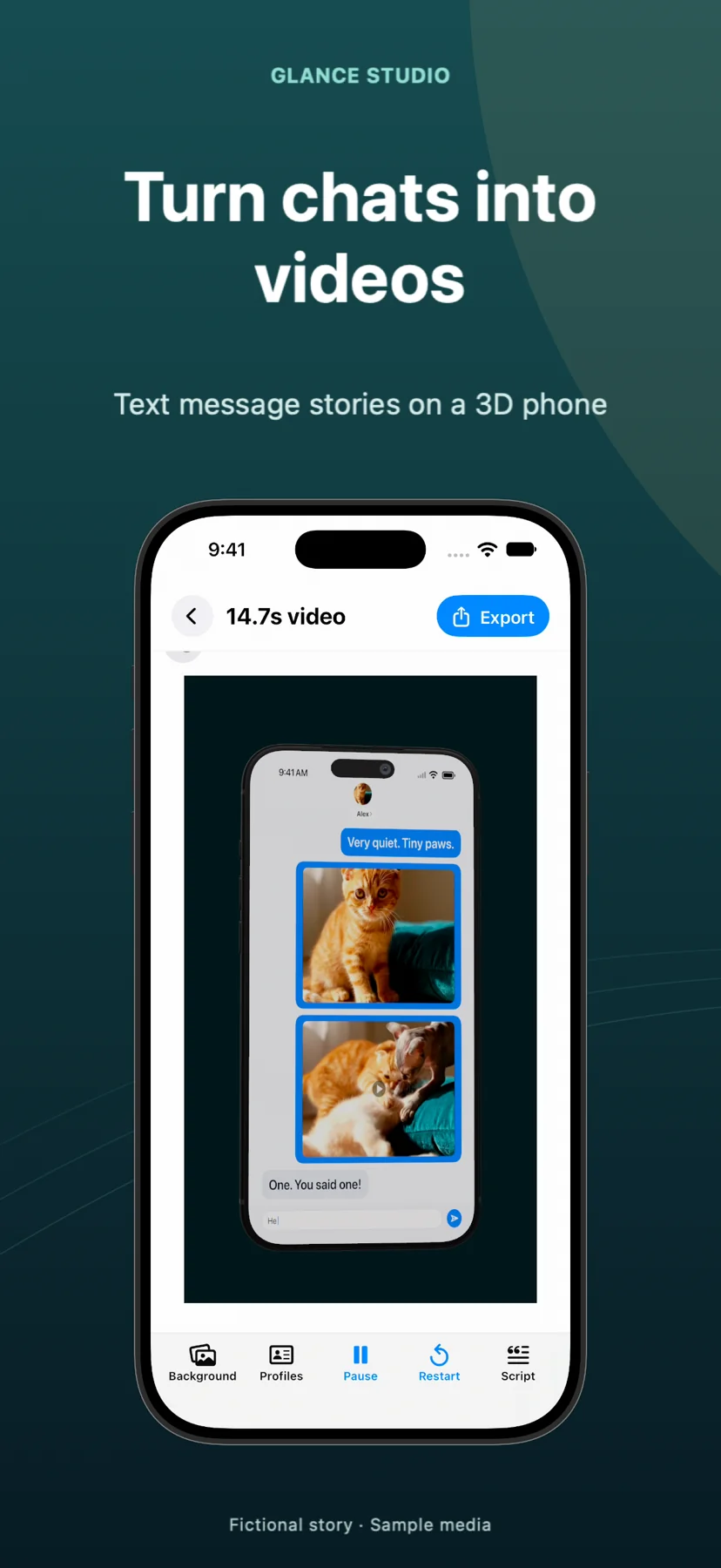
Glance Studio bakes that entire domain rig into one native interface on iPhone, iPad and Mac. Type the dialogue for up to 5 contributors, set letters-per-minute typing speed, assign any of seven 3D focus moves to key messages, and hit export.
| Production step | Glance Studio | Adobe After Effects |
|---|---|---|
| Time to build a 15-message 3D chat clip | 5–10 minutes from blank project to exported MP4 | 1–4+ hours (or 30–60 mins customizing paid MOGRT + 3D plugin) |
| Auto-sizing bubbles & scroll physics | Automatic across 4 de-branded chat looks & 10–64 pt type | Requires expressions or manual keyframe offsets |
| 3D iPhone model & lighting | Built-in current-gen iPhone in 5 finishes with camera controls | Requires Cinema 4D Lite, Element 3D or external 3D import |
| Inline video expanding fullscreen | Native per-message attachment setting with duration | Manual precomp scaling, masking & audio keyframing |
| Mobile on-the-go creation | Full parity on iPhone & iPad (iOS/iPadOS 26+) | Desktop workstation only |
2. Where After Effects remains irreplaceable
Honest tool selection means respecting hard boundaries. Glance Studio exports strictly vertical 1080×1920 video at 30 fps in HEVC or H.264 MP4, renders one current-generation iPhone model (plus flat mode), uses four built-in chat looks, and caps each project at 30 messages and 30 media changes.
If a client brief demands 16:9 horizontal 4K broadcast delivery, custom corporate webfont files, ProRes 4444 transparent overlays to composite over live film in color grading, or an Android/laptop 3D chassis, After Effects is the right tool.
| Specification | Glance Studio | Adobe After Effects |
|---|---|---|
| Resolution & aspect ratio | Fixed 1080×1920 vertical (9:16) | Any custom canvas (16:9, 1:1, 4K, 8K) |
| Frame rate & codecs | 30 fps · HEVC or H.264 in MP4 | Any frame rate · ProRes 4444 (with alpha), H.264, EXR, etc. |
| Custom fonts & vector brand skins | 4 stylized chat looks, adjustable 10–64 pt sizing | Unlimited custom fonts, shaders & bespoke UI vectors |
| 3D device variety | 1 current-gen iPhone (5 finishes) + Flat mode | Any imported 3D OBJ/GLTF/C4D model |
| Built-in local AI voiceover | Yes — Maya1 English model (15 presets + custom) | No — requires external audio recording or TTS files |
3. Software + plugin cost comparison for creators and agencies
An After Effects single-app plan costs ~$22.99/month (~$275/year) before buying Envato/MotionArray chat templates ($29–$59) or 3D device plugins ($199+). For performance marketers testing ten UGC chat ad variations a week, tying up a senior motion designer in AE rarely pencils out.
Keeping Glance Studio Desktop ($4.99 one-time on Mac) or the free iOS app alongside your main NLE lets social strategists and writers produce finished 1080×1920 chat spots themselves while reserving After Effects for flagship brand campaigns.
| Factor | Glance Studio | After Effects + Chat/3D Assets |
|---|---|---|
| Software license cost (Year 1) | $0 (iOS w/ ads) or $4.99 one-time (Mac) | ~$275+/year Creative Cloud + $30–$200+ templates/plugins |
| Learning curve for copywriters / marketers | Minutes (script-first UI) | Steep (keyframes, graph editor, precomps, 3D cameras) |
| Render speed on Apple silicon | Near real-time local MP4 export | Depends on 3D raytracing, blur samples & RAM preview |
| Render history per project | Built into Glance Studio Desktop on Mac | Manual output-module file versioning |
Can Glance Studio export a ProRes file with a transparent background for After Effects?
No. Glance Studio exports opaque 1080×1920 MP4 files in HEVC or H.264. Instead of keying out a background later, import your background video or image directly into Glance Studio’s stage before exporting.
Does Glance Studio let me adjust 3D camera angles manually?
Yes. You control camera distance, field of view, pitch, yaw, roll and motion intensity, plus seven focus animations that can fire on individual messages or groups of messages.
Can I render horizontal 16:9 YouTube videos in Glance Studio?
No. Glance Studio outputs 9:16 vertical 1080×1920 video tailored for TikTok, Instagram Reels, YouTube Shorts and vertical mobile ad placements.
Are there template pack fees inside Glance Studio?
None. All four chat looks, five iPhone finishes, seven focus animations and 15 Maya1 voice presets are included out of the box.